

HTTPS Cloudflare Not Secure Warning: Why Your Website Still Shows “Not Secure”
HTTPS Cloudflare not secure warning is a frequent issue faced by website owners who have already enabled HTTPS, installed an SSL certificate, and configured Cloudflare for their domain. Despite these steps, browsers may still display a “Not Secure” message, causing confusion and reducing user trust.
If you are seeing an HTTPS Cloudflare not secure warning, it does not necessarily mean your SSL certificate is broken. In most cases, the warning is triggered by incorrect Cloudflare SSL settings, mixed content errors, or missing security headers such as HSTS. Understanding why the HTTPS Cloudflare not secure warning appears is the first step toward resolving it permanently.
HTTPS vs Browser Security Indicators
First off, HTTPS — which means your site uses TLS/SSL encryption — should show the padlock in browsers and protect data in transit. HTTPS encrypts communications between your visitor’s browser and your edge server.
But HTTPS alone does not guarantee:
- That the browser always connects via HTTPS
- That every resource on your page is loaded securely
- That the visitor’s system is up-to-date to validate modern certificates
So browsers might still warn users under certain conditions.
Common Causes Behind “Not Secure” Warnings
A. Missing HSTS (HTTP Strict Transport Security)
Without HSTS enabled, a browser may initially try to load your site via HTTP before redirecting to HTTPS.
This can trigger a quick “Not Secure” alert before the redirect completes.
Fix:
Enable HSTS so browsers only attempt HTTPS connections. This forces HTTPS at the protocol level and eliminates the initial insecure request.
B. Mixed Content Errors
Even if the main page loads securely, if images, scripts, CSS, fonts or frames are served over regular HTTP, browsers can flag the site as insecure.
Fix:
- Update all resources to HTTPS
- Use dynamic rewrite tools or find and replace URLs in your code
C. Incorrect Cloudflare SSL Mode
Cloudflare offers multiple SSL/TLS modes:
- Flexible: HTTPS to Cloudflare, but HTTP between Cloudflare and your origin server
- Full: Encrypts both connections, but doesn’t validate the certificate
- Full (Strict): Encrypts and validates the certificate — the most secure option
If you’re in Flexible mode, visitors see HTTPS but your server connection may not be secure — causing warnings.
Fix:
Switch to Full (Strict) with a valid SSL certificate on your origin server.
D. Outdated Devices or Browsers
Older systems might not trust modern CAs (Certificate Authorities) like Let’s Encrypt, Safari, Chrome or Firefox might think your HTTPS connection is invalid.
Fix:
Test from updated devices or instruct users to update their browsers.
E. Antivirus or Firewall HTTPS Scanning
Many security tools scan HTTPS traffic and may interfere with encryption, leading to false browser warnings.
Fix:
Temporarily disable HTTPS scanning to test if this is the cause.
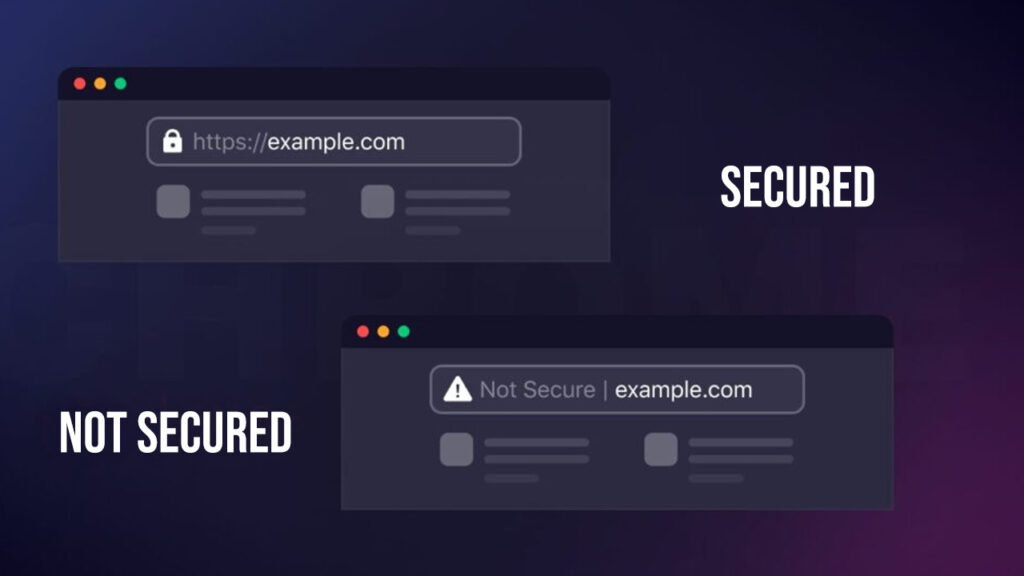
3. Why Cloudflare Sometimes Makes It Appear “Secure” Even When It’s Not Fully Secure
Cloudflare automatically issues a TLS certificate for your domain through its Universal SSL feature. That’s great — but:
- It only protects the connection from browser to Cloudflare
- The link between Cloudflare and your original server may still be unencrypted
- This can lead to false confidence if your backend isn’t configured properly
So your browser shows the padlock, but the configuration might still have weak spots.
4. Steps to Ensure True HTTPS Security (Checklist)
✅ Enable HSTS
✅ Use Full (Strict) Cloudflare SSL mode
✅ Replace all HTTP resources with HTTPS
✅ Update devices & browsers
✅ Check for mixed content warnings in DevTools
✅ Use “Always Use HTTPS” and HTTPS redirects if needed
Final Thoughts
Seeing “Not Secure” messages despite having HTTPS can be frustrating. But in most cases, it’s a configuration issue, not a broken certificate. With the right Cloudflare settings, proper resource loading and HSTS enabled, you can deliver a seamless, genuinely secure experience for every visitor.
Need help setting this up?
At SB Code Lab, we specialize in secure, optimized web development and Cloudflare integrations — so your site looks great and stays protected.